GUI (Watchfire.app)
A guided tour of Watchfire.app, the Electron multi-window client for managing tasks, monitoring agents, and reviewing work across many projects at once.
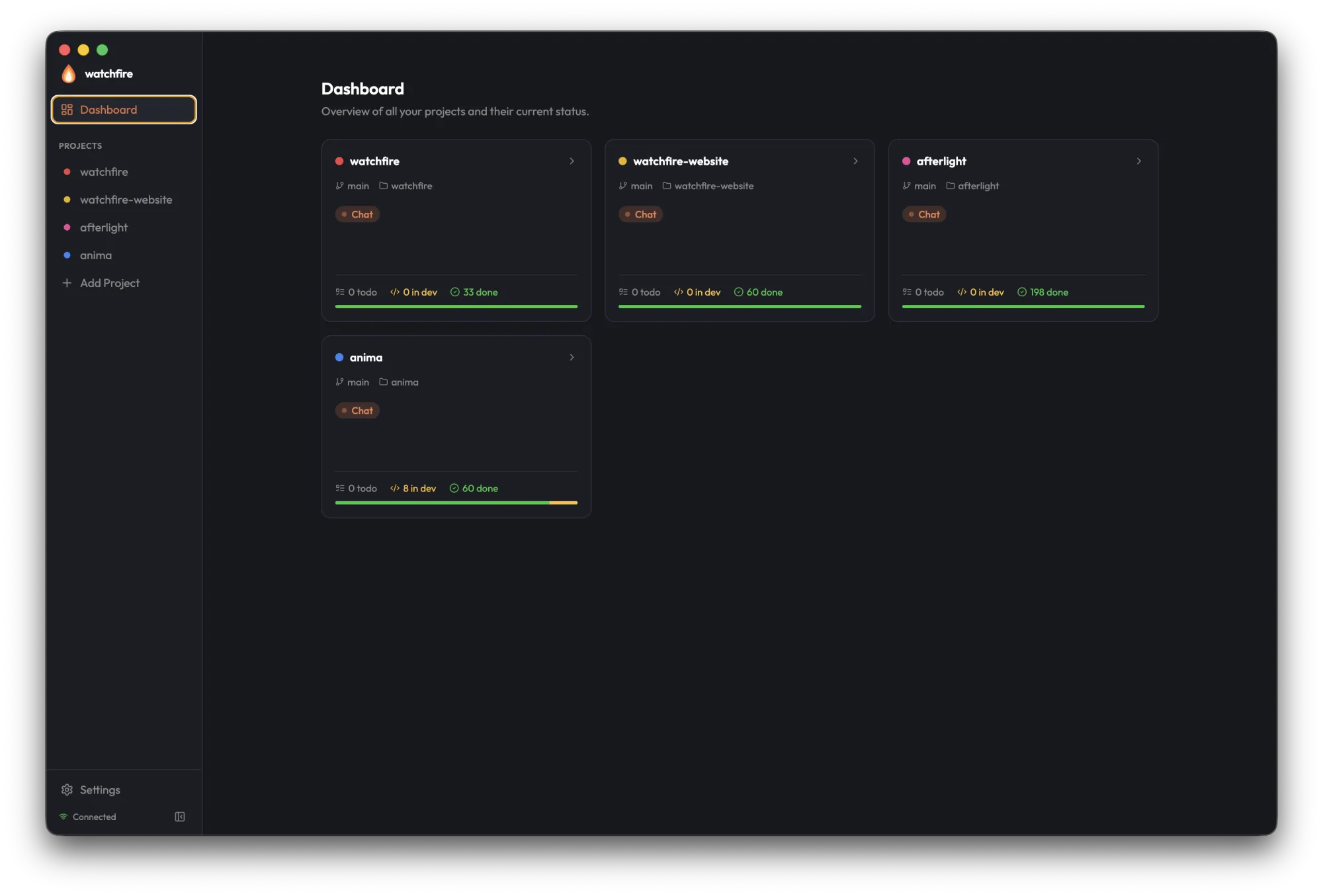
The GUI is a multi-window, multi-project client built with Electron. Unlike the CLI/TUI (which is project-scoped), the GUI shows every registered project and connects to the daemon over gRPC-Web. v8 "Inferno" replaced the single-window-with-sidebar-navigation model with independent OS windows: a persistent home window (mission control) anchors the set, each project opens in its own window that can live on a separate monitor, and an optional always-on-top mini-monitor gives an ambient fleet view.
Looking for a single-page reference? The Keyboard Shortcuts cheat sheet lists every GUI binding in printable form.
Windows
A main-process window registry tracks every open window, and everything — integrated-terminal output, lifecycle events, notification and tray clicks — is routed per-window.
| Window | Role |
|---|---|
| Home | The Dashboard / mission-control singleton. Opening it again focuses the existing window. It is also the app's sole notifier: OS toasts, sounds, and tray focus events are handled here exactly once, no matter how many windows are open. |
| Project | One independent window per project — its own cockpit. Boots straight into the Project View (no dashboard flash), titled with the project name. Re-opening an already-open project focuses the existing window rather than duplicating it. |
| Mini Monitor | An optional always-on-top fleet view. See Mini Monitor. |
A single-instance lock ensures one GUI process: a second launch quits immediately and surfaces the running instance's home window instead (two processes would each run a daemon watcher and double-merge worktrees).
Opening project windows
Every project surface in the home window can open a dedicated window:
- Hover button — dashboard cards and list rows carry an
ExternalLinkbutton on hover - Cmd/Ctrl-click — on any card, row, or sidebar entry (plain click on a card also opens the project's window)
- Context menu — sidebar rows offer "Open in New Window" on right-click
When a window for that project already exists, the card affordance flips to a fire-tinted "Focus open window" treatment — the action focuses, never duplicates.
Window state & session restore
Each window's size and position persists independently in ~/.watchfire/window-state.json, keyed by home, monitor, or project id. The file also records which project windows were open at quit: on relaunch, Watchfire re-opens the windows you had open, skipping any project that has since been unregistered. Bounds that land on an unplugged monitor are discarded so a window never restores off-screen.
Window shortcuts
| Shortcut | Action |
|---|---|
| Cmd/Ctrl+N | Open (or focus) the home window |
| Cmd/Ctrl+Shift+] / [ | Cycle focus across open windows (the mini-monitor is excluded) |
| Cmd/Ctrl+Shift+M | Open the Mini Monitor (also under Window → Mini Monitor) |
Home Window — Mission Control
The home window answers "what's running everywhere, and what needs me?" It hosts the sidebar (flame mark, project list, "Add Project," Mini Monitor, and Settings), the dashboard over all registered projects, and global Settings.
Status bar & filters
A single muted line — N working · N needs attention · N idle · N done today — sits between the dashboard header and the project grid as a fleet-wide pulse check.
Below it, a row of pill chips narrows the grid to one bucket at a time. Each chip carries a live count, and the selection persists across reloads via localStorage[wf-dashboard-filter].
| Chip | Selects |
|---|---|
All | Every registered project |
Working | Projects with an agent currently running |
Needs attention | Projects with a task in done + success: false |
Idle | Projects with no running agent and nothing ready |
Has ready tasks | Projects with at least one ready task waiting for an agent |
The Insights rollup card (cross-project KPIs, top projects, and a global <ExportPill>) sits under the status bar and shares the 7d / 30d / 90d / All window selector with the Project View. Since v8 it also carries code-output: a compact Commits / Net lines / Merge rate strip, a "Churn" top-projects row ranked by net lines shipped, and per-agent net-line figures in the agent legend. See the Insights concept page for what's aggregated and how partial data surfaces.
Needs attention
A panel above the insights rollup aggregates issues across all projects in one place: live agent issues (auth-required / rate-limited) and failed tasks, listed as project · kind · #task · detail with a count badge. Clicking an entry opens (or focuses, never duplicates) the offending project's own window — failed tasks land on the Tasks tab with the task deep-linked; agent issues focus the window, where the issue banner and Resume live in the chat pane. When nothing is wrong, a clean empty state shows: "All clear — nothing needs your attention."
The system tray's Needs-attention / Working / Idle sections route clicks the same way — a tray click for project A surfaces project A's window.
Sort & layout
Cards are auto-bucketed by activity rather than raw position: needs-attention → working → has-ready-tasks → idle. When the activity order diverges from the stored position order, a muted Sorted by activity label surfaces in the header so a manual reorder is still visible.
A LayoutGrid / Rows3 toggle in the header switches between the default card grid and a compact list view (one ~46px row per project). The choice persists across reloads via localStorage[wf-dashboard-layout].
Project cards
Each card carries:
- Project name, color dot, current branch, and the active-agent badge
- Wildfire phase badge — when a project's agent is looping in wildfire mode, the generic agent badge swaps for a compact
Wildfire · Executebadge, so you can see at a glance which projects are autonomous and where they are in the loop - Elapsed-time badge — when the agent is running, a ticking
Ns / Nm / Nh Mmcounter sits next to the agent badge and flips to a warning color once it crosses 30 minutes - Last-activity timestamp —
Active now / 5m ago / 4h ago / 2mo agosegment, derived from the most recent taskupdated_at - Live PTY preview — the latest non-blank terminal line, in monospace muted text, throttled to 4 Hz. A singleton subscription manager ref-counts the underlying
AgentService.SubscribeScreenstream, so the dashboard opens at most one stream per project regardless of how many cards reference it. - Current-task line —
Working: <current task title>(with aFlameicon) whenever the agent is actively running - Shipped line — a compact
+412 / −97 · 3 mergesline: lines added/removed and merge count over the dashboard's insights window, derived from the same fleet-insights fetch as the rollup card. Projects that shipped no code in the window omit the line entirely. - Task counts (Todo / In Dev / Done) and a progress bar
When a project has any task with status === 'done' && success === false, the card flips into a needs-attention treatment: a red-tinted border, an AlertTriangle chip in the header, an N failed segment in the counts row, and a red segment in the progress bar.
"Add Project" sits at the end of the grid as the entry point for the project wizard.
Add Project Wizard
A three-step wizard for adding new projects:
Step 1 — Project Info
- Project name
- Path (folder picker)
- Git status (auto-detected)
- Branch (auto-detected)
Step 2 — Git Configuration
- Target branch
- Auto-merge on completion
- Delete branch after merge
- Auto-start tasks
- Coding agent — picker populated from the daemon's
SettingsService.ListAgentsRPC (Claude Code, Codex, opencode, Gemini, Copilot, Cursor, plus any future backends). Seedsproject.default_agent.
Step 3 — Project Definition
- The rich markdown editor for project context
- Skip option for later
Project View
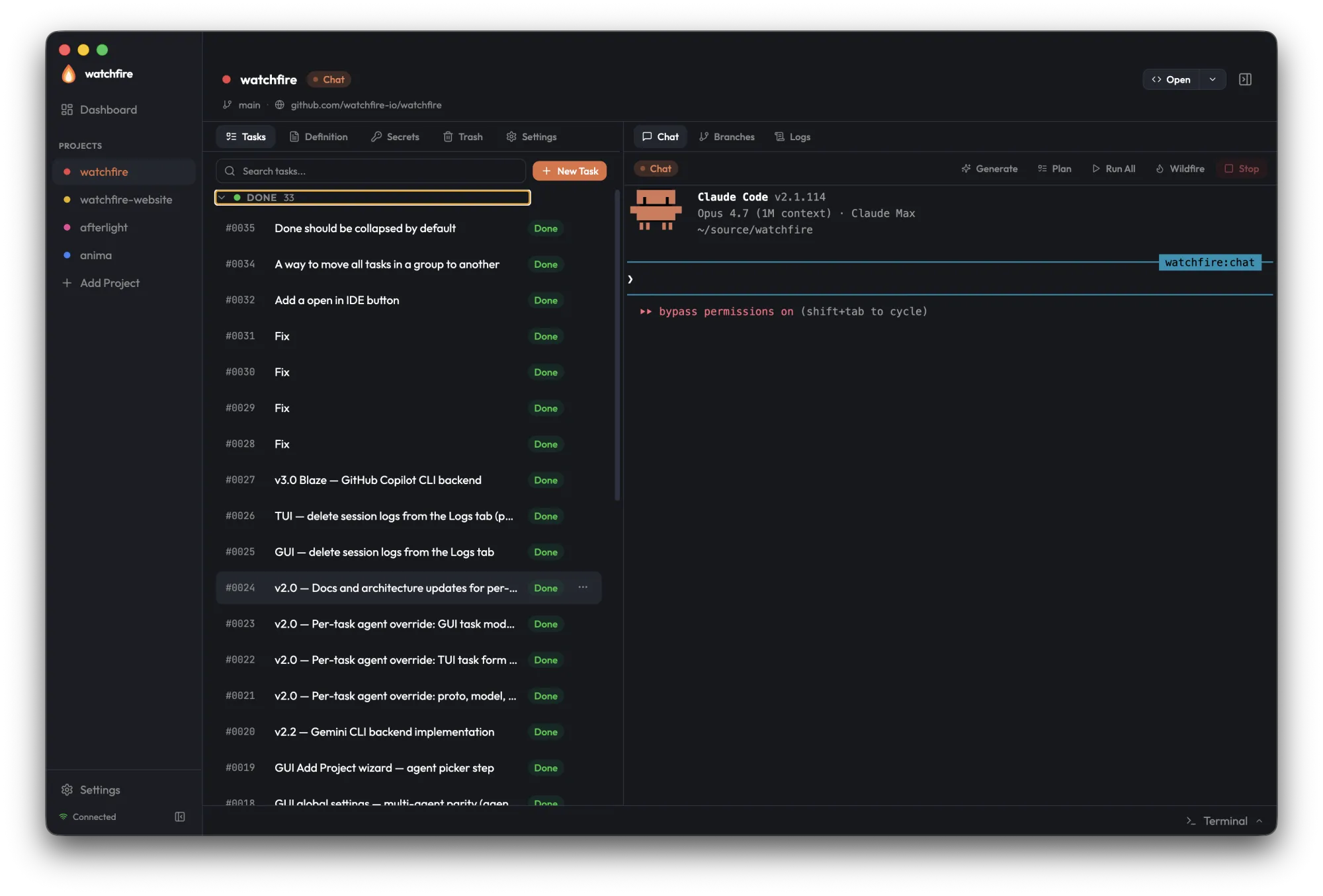
Each project window is one project's cockpit. v8 flipped the layout to chat-primary — the agent is the work surface, the rest is reference: the agent chat/terminal is the wide left pane, and Tasks, Definition, Insights, Secrets, Trash, and Settings live in a tabbed reference region on the right. A slim header carries the project name, an "Open another project" affordance, and a Settings toggle, so global Settings stays reachable without leaving the window.
- Chat pane (left, primary) — the live agent terminal, with Branches and Logs as sibling tabs. The header carries the mode badge and the wildfire control.
- Reference region (right) — a tabbed panel: Tasks, Definition, Insights, Secrets, Trash, Settings. Resizable via a drag divider (~560px first-run default, persisted in
localStorage[wf-right-panel-width]), and hideable. - Integrated terminal — docked as a footer bar (toggle with Cmd+`). See Integrated Terminal.
Focus chat: the header toggle (Maximize2/Minimize2) — or double-clicking the divider — hides the right reference region so chat goes full-width. Chat-left is the only layout; there is no side-swap toggle. The focus state persists per project (wf-chat-focus-<projectId>), and a tray focus-request for Tasks reveals the reference region if it was collapsed.
Chat Pane
Chat
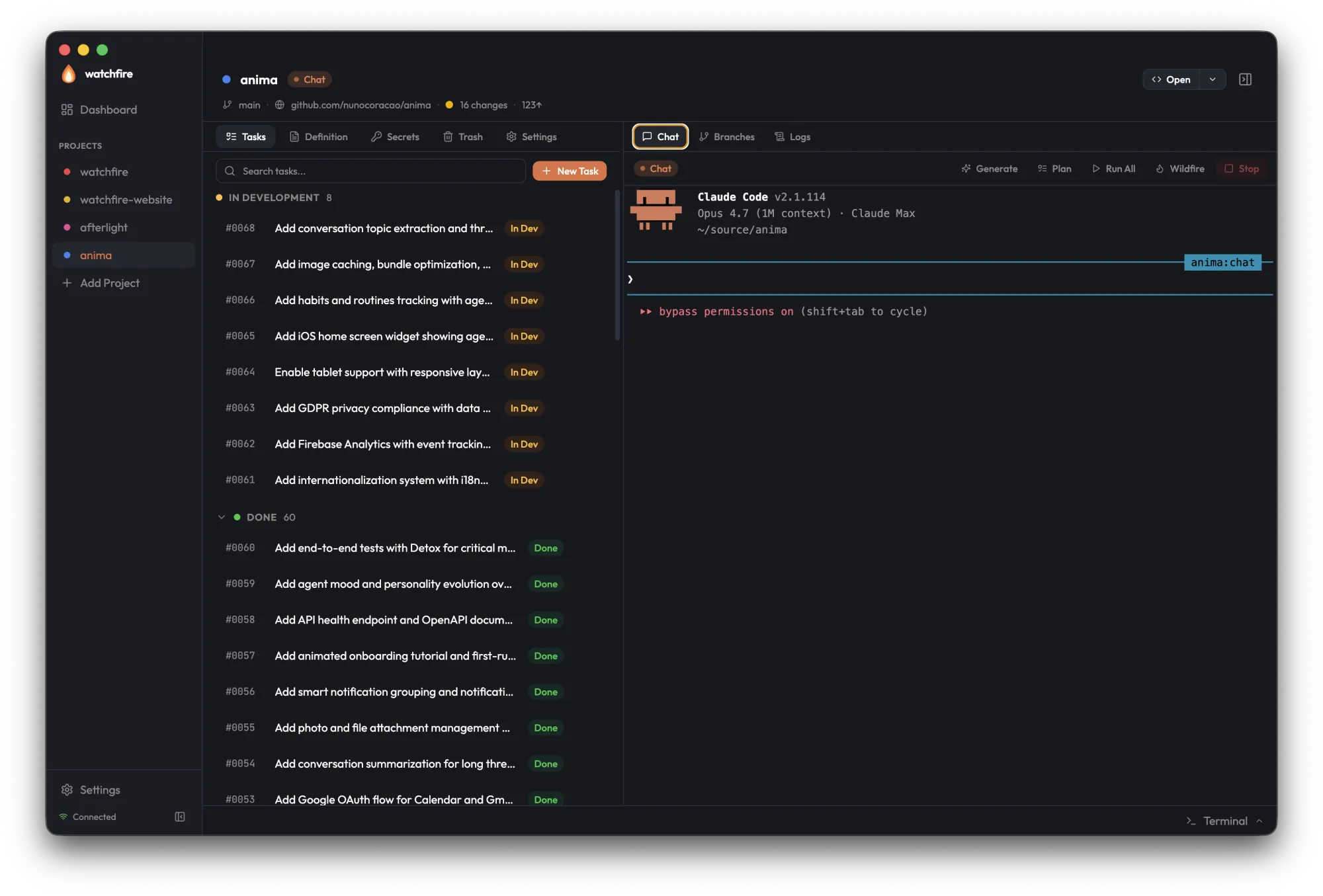
The Chat tab streams the live agent terminal from the daemon (AgentService.SubscribeScreen), and you can type input directly. Tasks the agent creates during chat appear in real-time in the Tasks tab without a manual refresh.
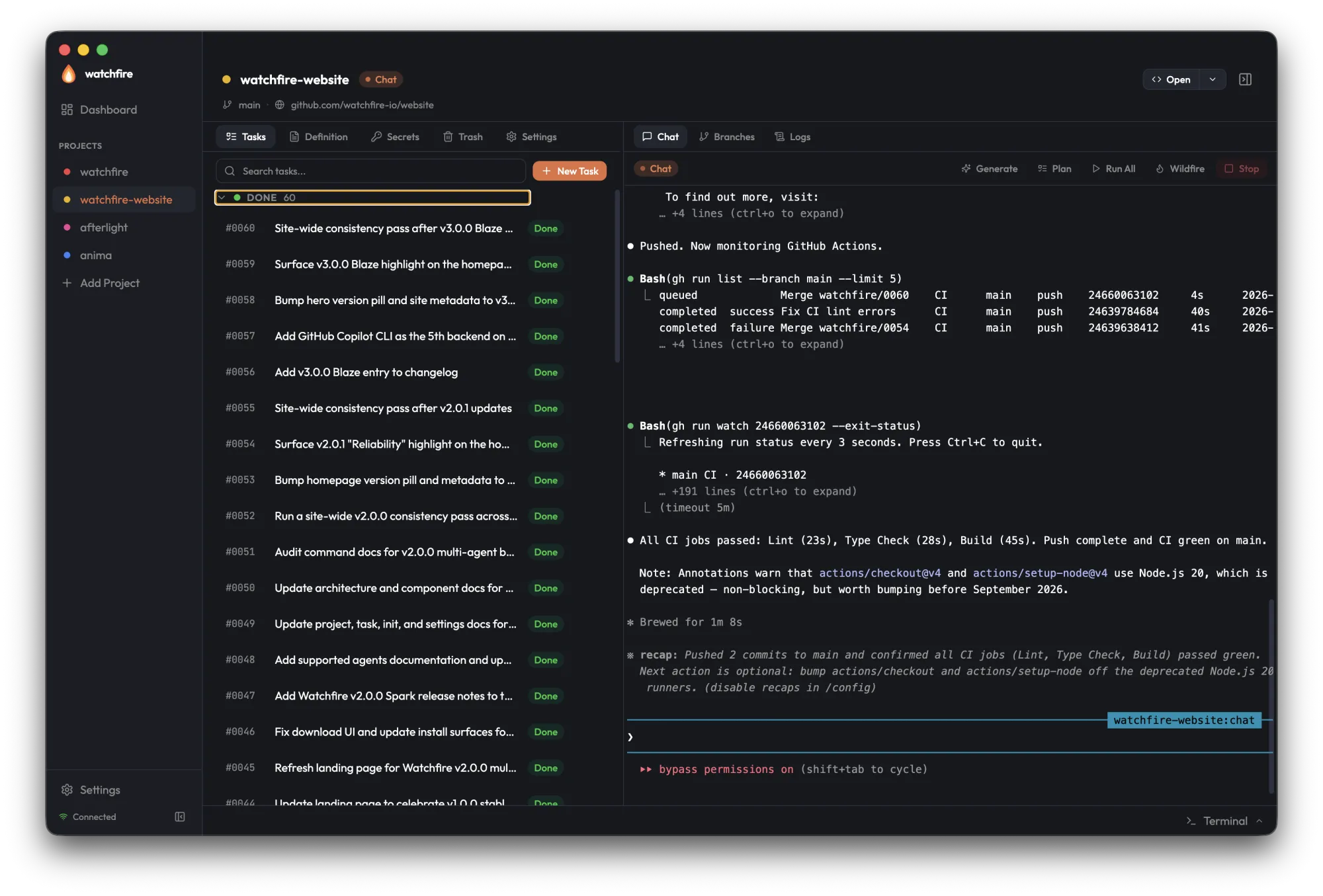
The toolbar above the terminal exposes the agent modes — Generate, Plan, Run All, and Stop. Wildfire is deliberately absent from this menu: it starts only through its own confirm-gated control (below).
Branches
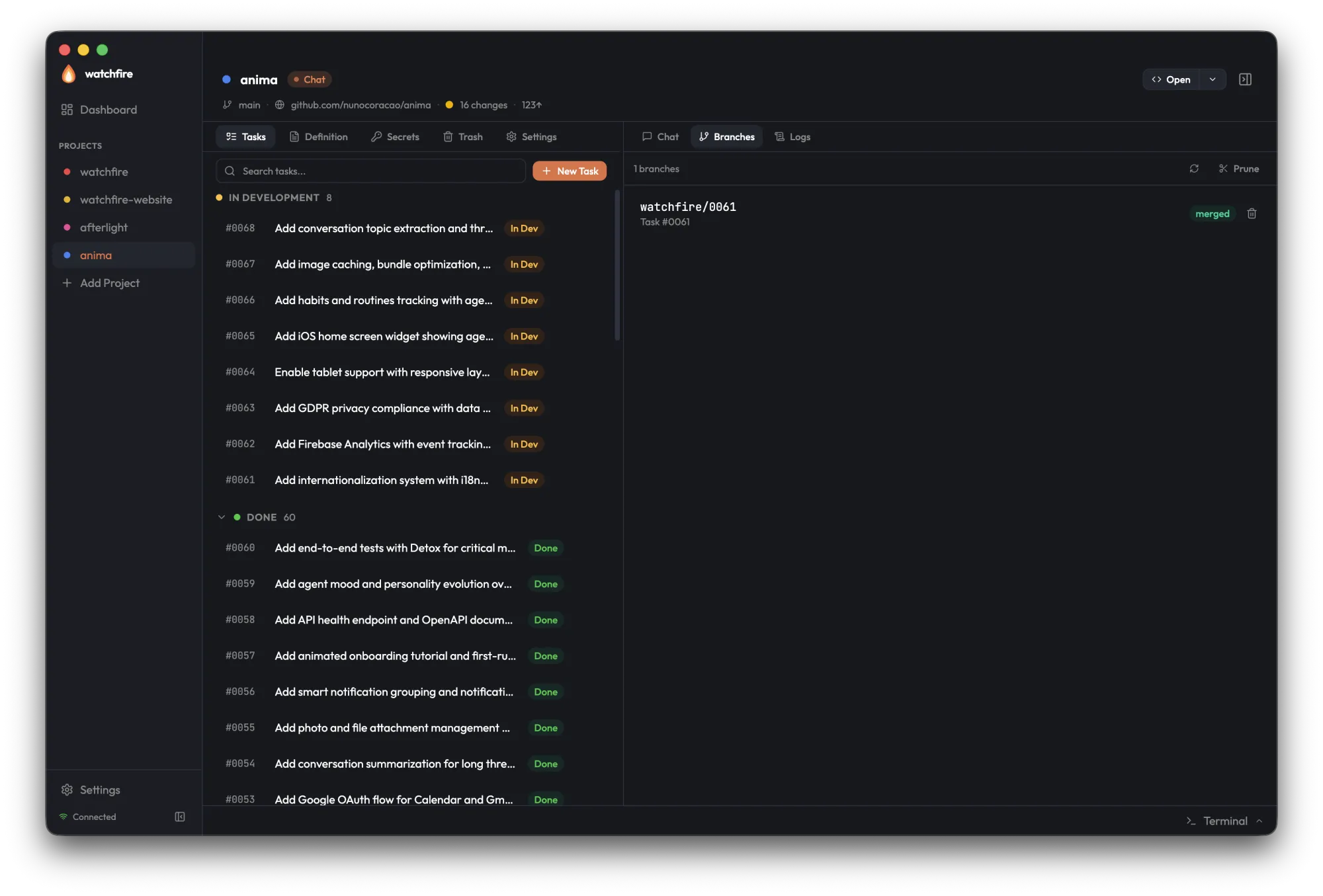
A live view of every active worktree and branch with status (in development, merged, conflict) and inline actions to merge, delete, or open in your editor.
Logs
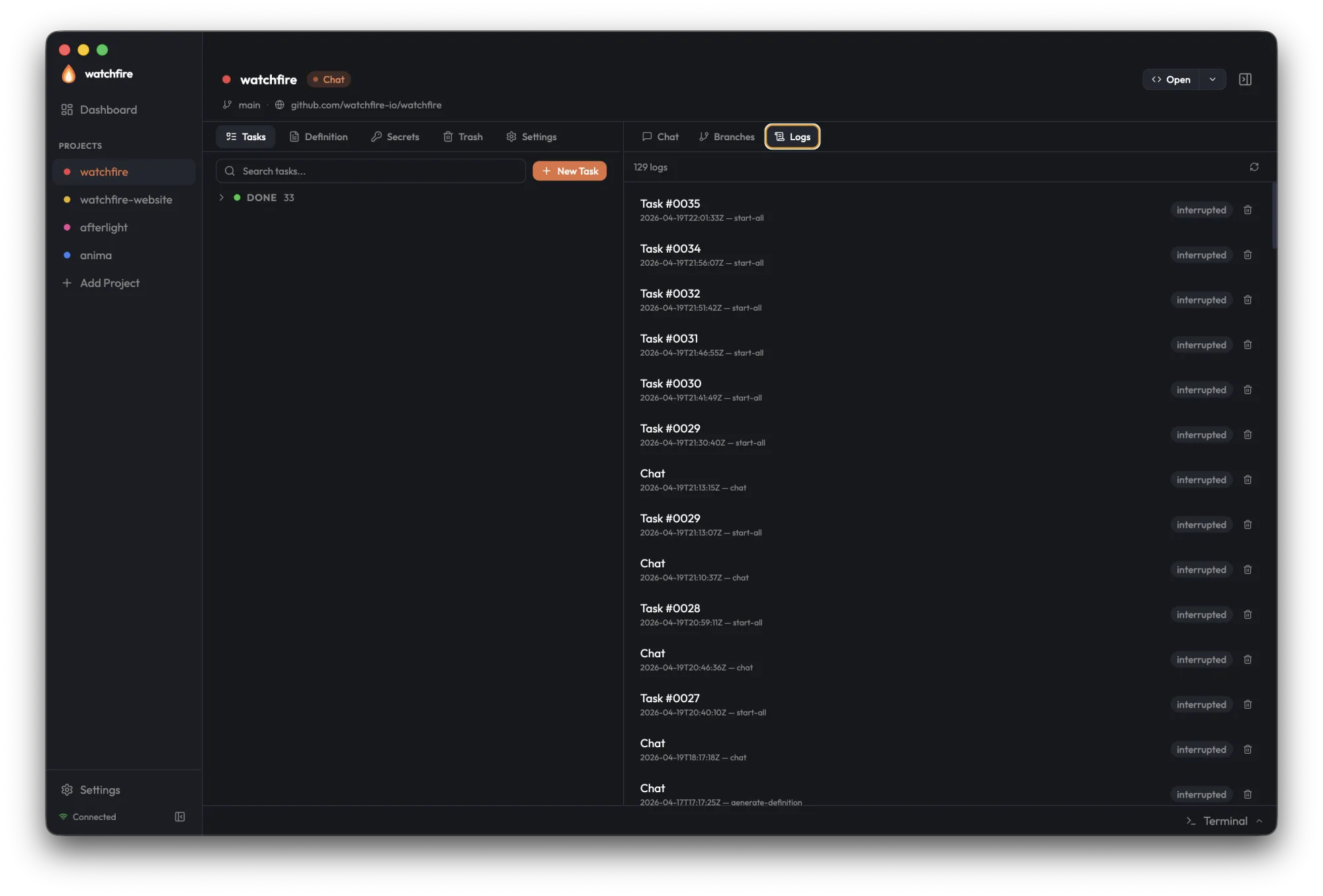
Per-task session history. The Logs tab renders formatted conversation transcripts (User/Assistant messages with tool call summaries) for every supported backend — Claude Code, Codex, opencode, Gemini, Copilot, Cursor — and falls back to raw PTY scrollback when no transcript is available.
Wildfire
Autonomous wildfire mode — the Execute → Refine → Generate loop — is a first-class control in the Project View header:
- Start goes through a confirm-before-start modal: wildfire is autonomous, runs unattended, and spends tokens continuously, so there is no one-click start.
- While running, a live phase stepper shows Execute → Refine → Generate with a flame pulsing on the active phase, plus the current task being worked and a Stop control.
- A compact single-line variant (
Wildfire · Execute) surfaces on mission-control cards/rows and in the mini-monitor, so the loop is visible from anywhere.
The control drives the same gRPC surface as the TUI (StartAgent with mode = "wildfire", phase read from AgentStatus.wildfire_phase) — GUI and TUI wildfire are the same daemon feature.
Reference Region
Tasks
Tasks are grouped by status (Draft, Ready, Done) with search, filters, and a "New Task" button. Each row shows a compact agent badge when its agent field overrides the project default. Active rows ("In Development" / "Todo") carry a GripVertical handle on the left for drag-to-reorder; the row body itself stays click-to-open so a single click still launches the edit modal. The "Failed" and "Done" groups render non-sortable rows.
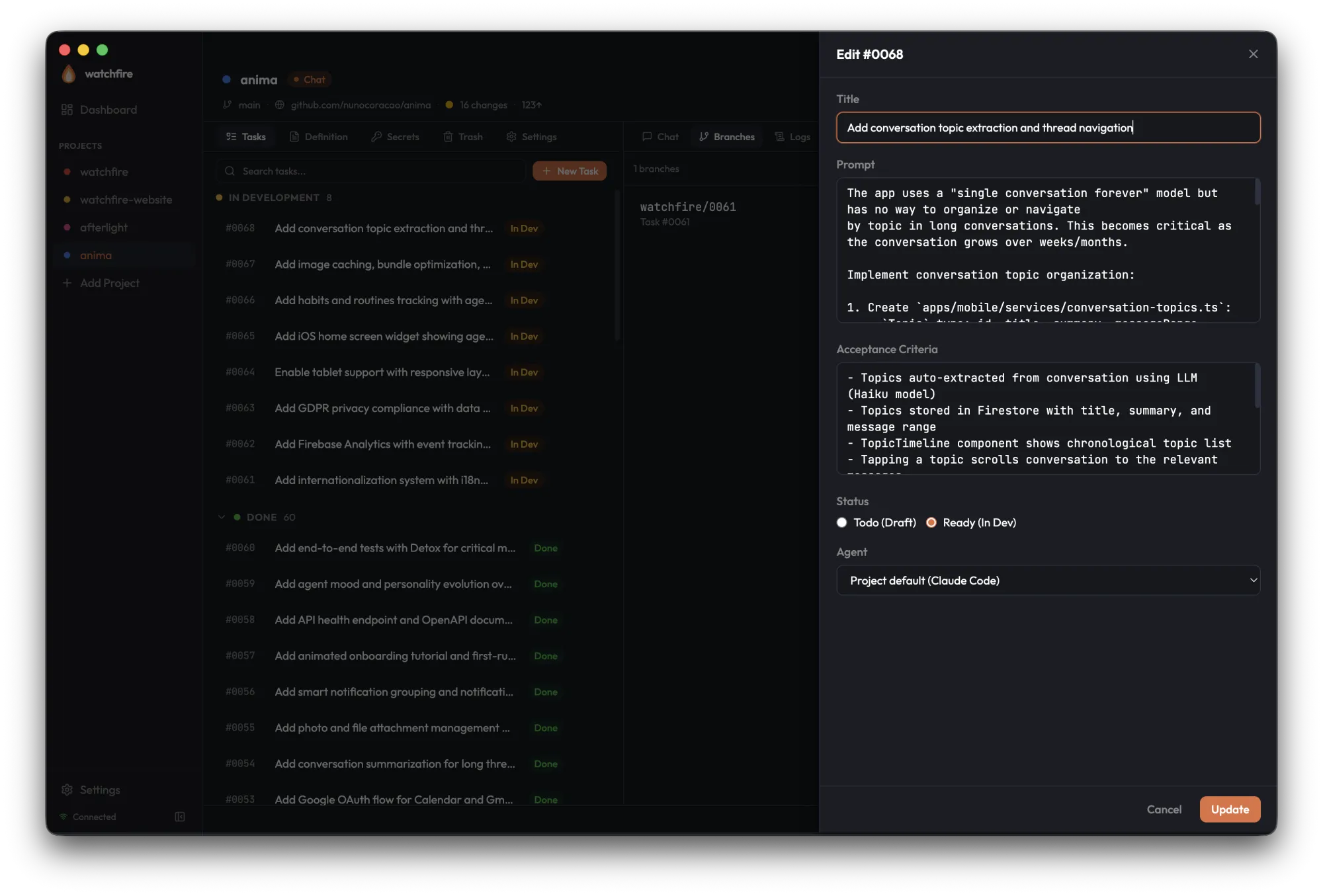
Opening a task brings up the task editor — title, prompt, acceptance criteria, status, and an agent picker with a leading Project default option. The prompt and acceptance_criteria fields use the rich markdown editor; the title stays a plain input. The form preserves its contents during background polling, so edits aren't lost when the task list refreshes.
The task modal also carries an Inspect tab — done tasks land on it directly — rendering the task's diff as an inline file-by-file viewer:
- Pre-merge — diffs are computed as
<merge-base>...HEADon thewatchfire/<n>branch. - Post-merge — the diff is reconstructed by locating the merge commit via
git log --grep. - Output — a structured
FileDiffSet,cap at 10000 lines. - Cache — results are cached at
~/.watchfire/diff-cache/<project_id>/<task_number>.json.
Backed by the internal/daemon/diff package.
Definition
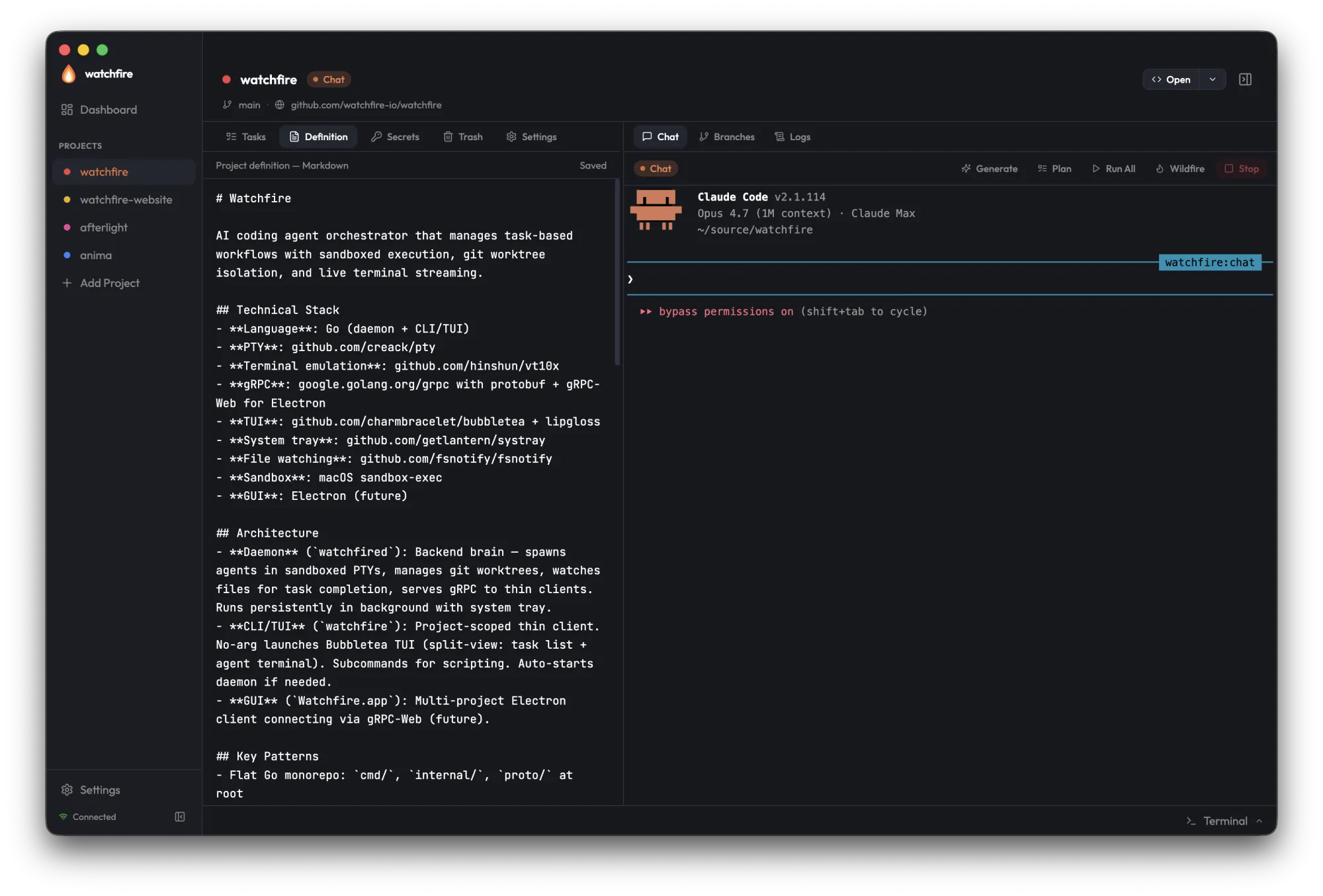
The project definition — the persistent context every agent reads before starting work — edited in the rich markdown editor with debounced autosave. Use it for architecture, key files, conventions, and constraints.
Insights
A per-project view of agent activity, aggregated from the <n>.metrics.yaml records under .watchfire/tasks/. The tab header carries an <ExportPill> that opens the export dialog scoped to the current project (CSV or Markdown via InsightsService.ExportReport).
Layout, top to bottom:
- KPI strip — totals for tasks completed, duration, tokens, and cost in the selected window
- Code KPI strip — what the agents shipped: Commits, Net lines (signed, with the
+added / −removedpair as a sub-line), Files touched, and Merge rate (with a· N via PRhint) - Stacked-bar tasks-per-day — one bar per day, stacked by exit reason
- Code-churn-by-day — lines added stacked over lines removed, per day, next to the tasks-per-day bars
- Agent donut — share of tasks by backend
- Agent breakdown — the per-agent table includes Commits and Net columns, so output per agent is comparable, not just task count
- Duration histogram — distribution of task durations
Code surfaces only render when real data exists, with an honest "Code stats based on N of M tasks" caption — tasks completed before v8.0 have no code metrics and are counted as missing rather than skewing totals to zero.
The header includes a window selector with 7d / 30d / 90d / All options. The selection persists across reloads via localStorage[wf-insights-window].
See the Insights concept page for the underlying metrics package, the per-task record schema, and how the rollup composes.
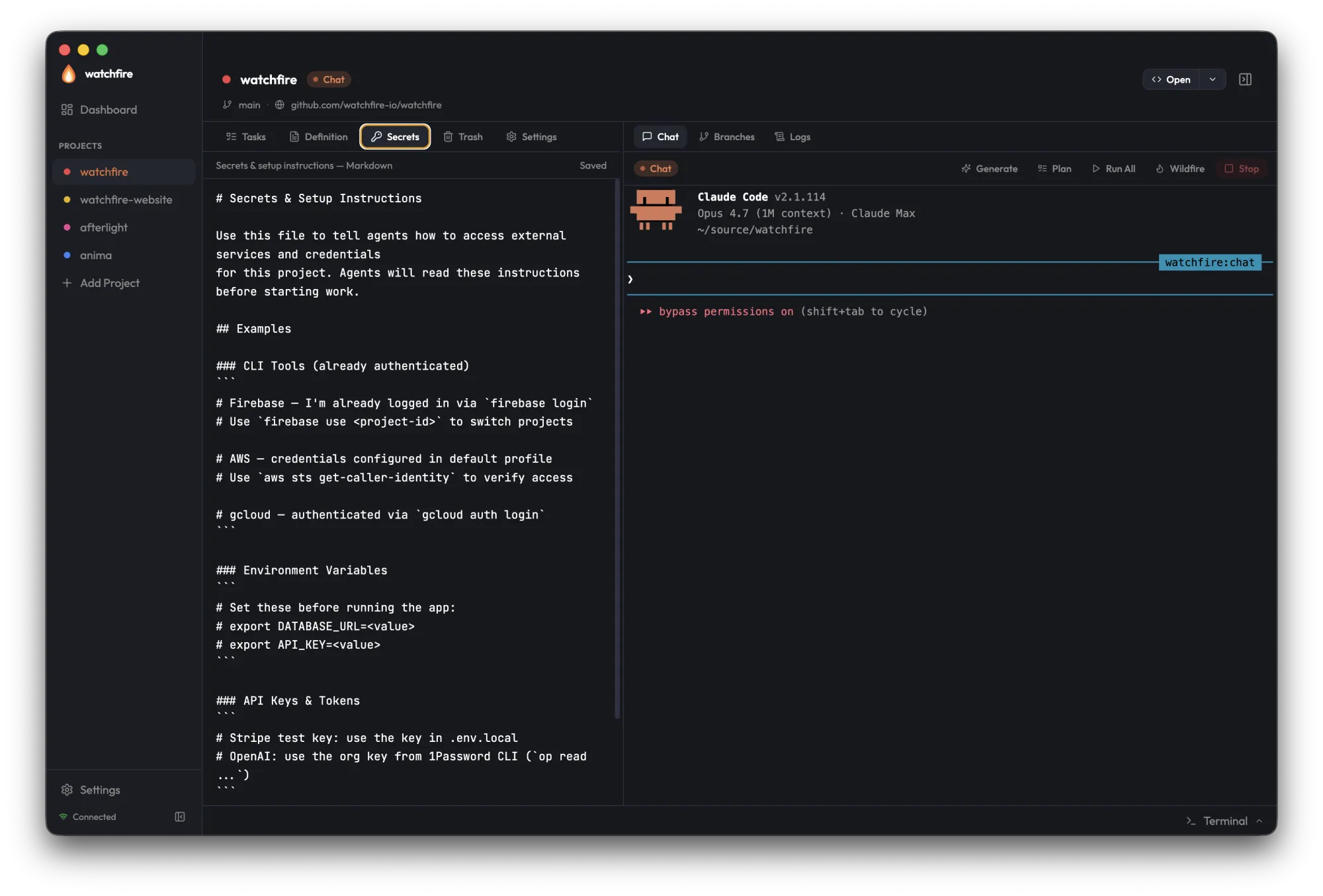
Secrets
Agent-readable instructions for accessing external services — CLI tools that need to be authenticated, environment variables, API keys, and where to find them.
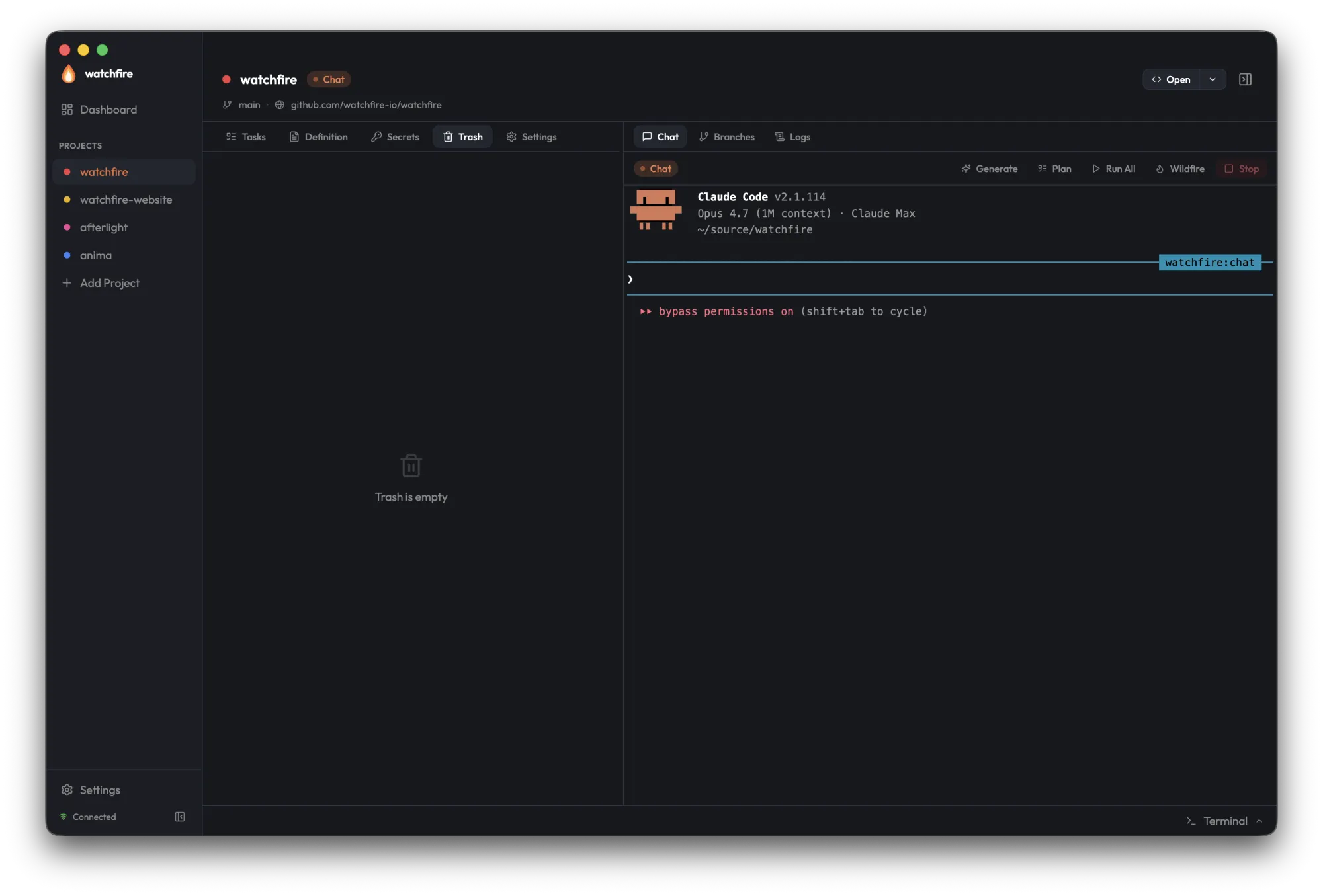
Trash
Soft-deleted tasks live here until you restore or permanently delete them.
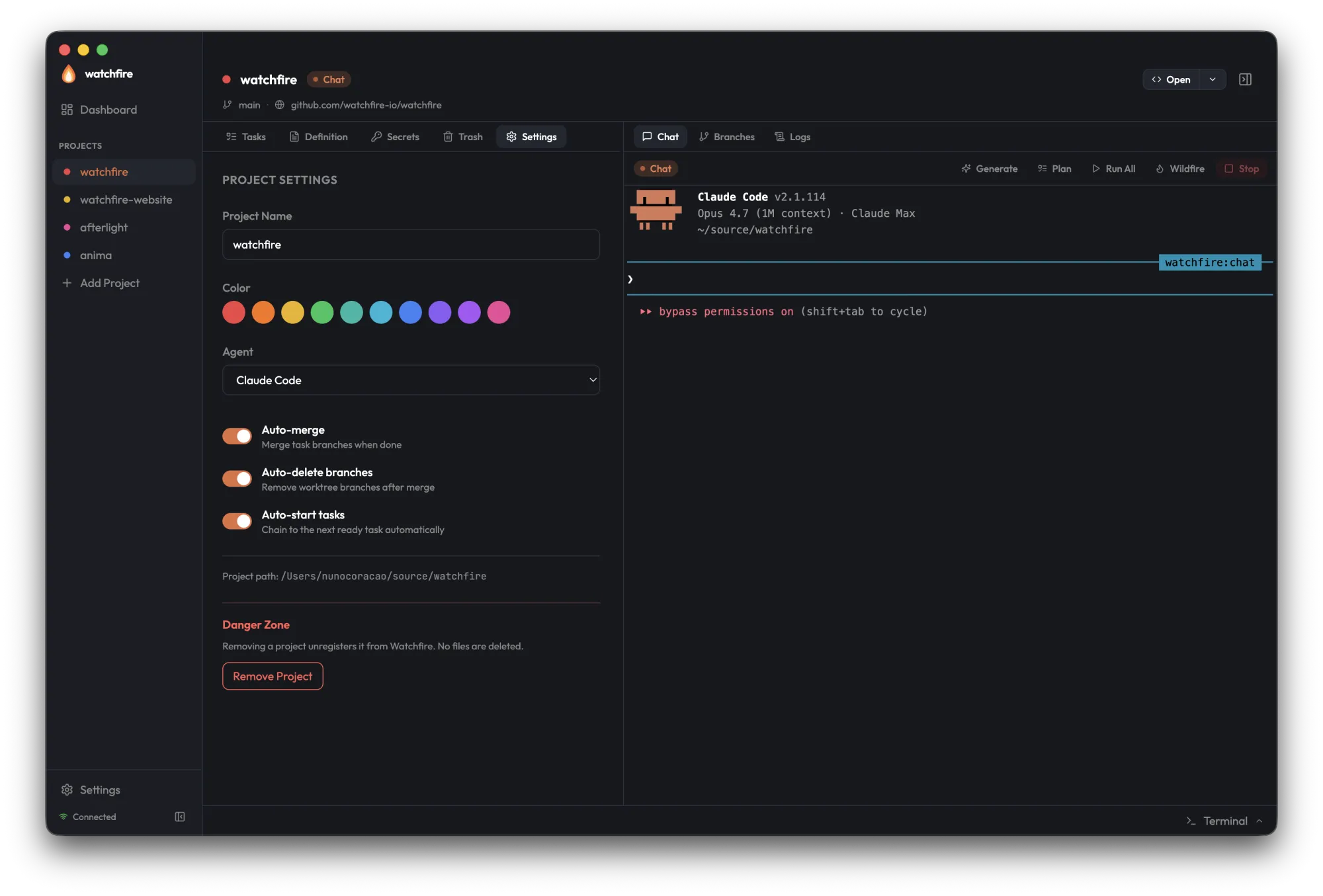
Settings
Per-project configuration — name, color (which propagates everywhere instantly), default agent, and the automation toggles for auto-merge, auto-delete branches, and auto-start tasks. The Danger Zone unregisters the project; no files are deleted.
Rich Markdown Editor
MarkdownEditor is the standard editing surface for every markdown / long-text field, built on CodeMirror 6. It is source + preview, not WYSIWYG — deliberately, so exact markdown and whitespace round-trip cleanly into the daemon-written YAML block scalars (prompt, acceptance_criteria, project definition).
| Feature | Details |
|---|---|
| View modes | Source ⇄ split ⇄ preview toggle |
| Toolbar | Bold, italic, inline code, link, heading, bullet list |
| Shortcuts | Cmd/Ctrl+B (bold), Cmd/Ctrl+I (italic) |
| Surfaces | Project Definition tab, the Add Project wizard's definition step, and the task modal's prompt + acceptance_criteria fields |
Short fields like the task title stay plain inputs, and each surface keeps its existing save semantics (the Definition tab's debounced autosave, the wizard's Skip path, the task modal's create/update flow).
Mini Monitor
An always-on-top floating mini-window for a glanceable, ambient view of the whole fleet — keep it in a screen corner while working elsewhere. Open it from Window → Mini Monitor (Cmd/Ctrl+Shift+M) or the sidebar's "Mini Monitor" button.
- One compact row per project, activity-sorted: a status dot that pulses when the agent is working, the project name, and a one-line status — what the agent is doing (task title, chat, or
Wildfire · <phase>), a red needs-attention flag, or the ready/idle task counts. - Click-through — clicking a row opens (or focuses) that project's own window.
- Floats everywhere — always-on-top and visible over fullscreen spaces; small by default (320×460, min 240×200), with its geometry persisted like every other window.
- Read-only and cheap — it never plays sounds or shows toasts (the home window is the sole notifier), and it's excluded from the window-cycle shortcut.
Integrated Terminal
Each project window includes a built-in shell terminal, separate from the agent Chat terminal. It appears as a footer bar at the bottom of the Project View.
Opening the Terminal
- Click the footer bar at the bottom of the project view, or
- Press Cmd+` (backtick) to toggle
The footer bar expands upward into a resizable bottom panel. Drag the top edge to adjust height.
Features
| Feature | Details |
|---|---|
| Tabbed sessions | Up to 5 shell tabs per project |
| Powered by node-pty | Runs in the Electron main process, not the daemon |
| Per-window routing | Each session is keyed to the window that spawned it — output never bleeds into another project's window |
| Nerd Font support | Rich terminal rendering with icons and glyphs |
| Session cleanup | Sessions persist across panel collapse; closing a tab (X) or the window tears down only that window's sessions |
This is a general-purpose shell — use it for running builds, git commands, or anything else without leaving the GUI. The agent Chat terminal in the chat pane streams the coding agent's output from the daemon and is a separate interface.
Task Status Display
| Internal Status | Display Label | Visual |
|---|---|---|
draft | Todo | Default style |
ready | In Development | Highlighted |
ready + agent active | In Development | Animated indicator |
done (success: true) | Done | Green indicator |
done (success: false) | Failed | Red indicator |
Global Settings
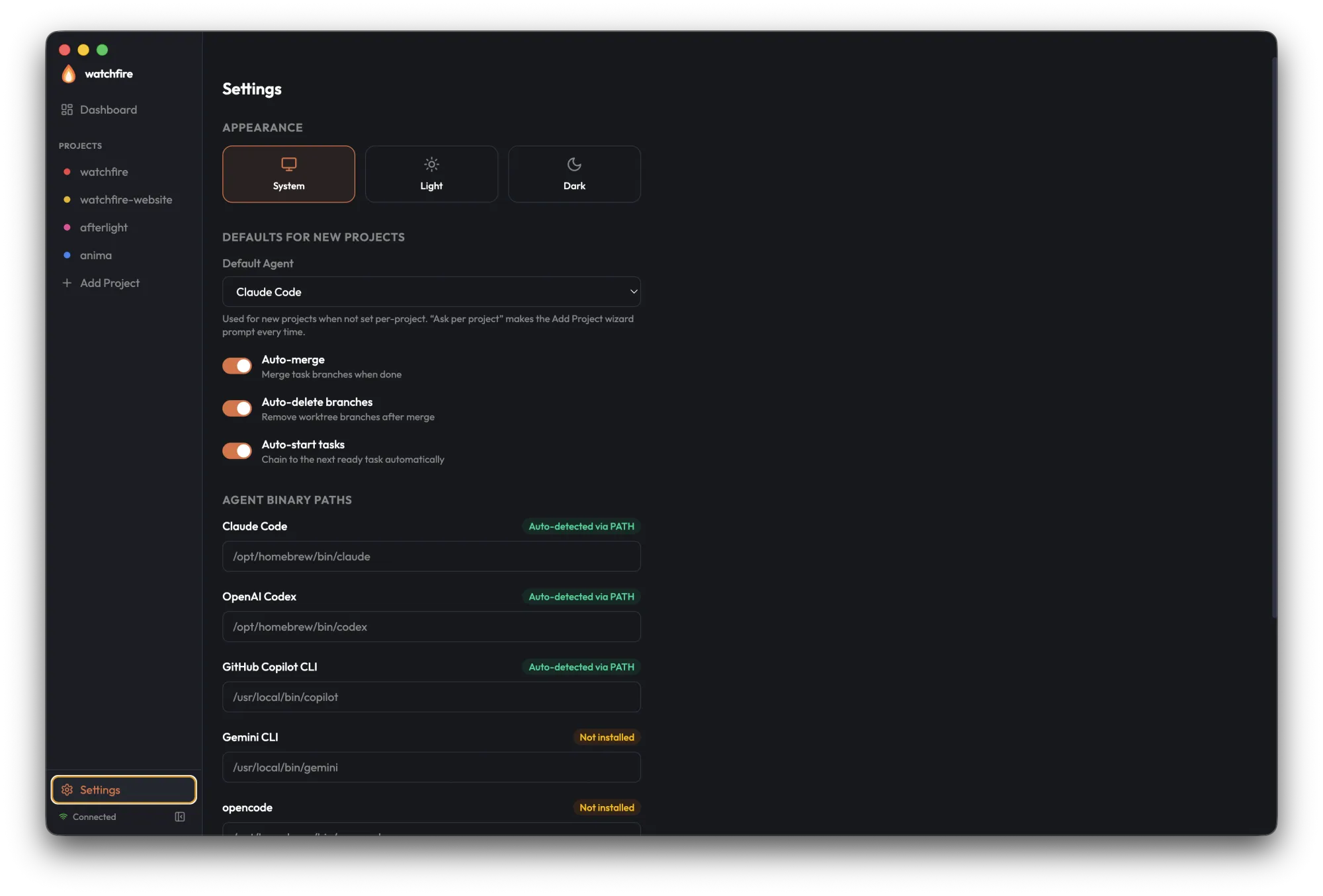
Open Settings from the bottom of the home-window sidebar — or from a project window's header gear (Cmd+,), which opens it without leaving the window. It manages app-wide preferences: appearance, the defaults applied to every new project, and the per-backend binary paths the daemon should use to launch agents.
The surface uses a macOS-style two-pane layout: the left sidebar lists eight categories (Appearance, Defaults, Agent Paths, Notifications, Integrations, Inbound, Updates, About), the right pane shows only the selected category. A search box at the top filters categories AND surfaces individual matching controls with category breadcrumbs — clicking a result navigates to the category and pulses the matching field for ~1.5 seconds. Cmd/Ctrl+F focuses search, Esc clears, Up/Down/Enter navigate. Existing deep-link routes (#integrations etc.) still work.
| Section | Content |
|---|---|
| Appearance | Theme (System / Light / Dark) |
| Defaults | Automation toggles for new projects, plus the default coding agent used when a project hasn't chosen one. Includes an "Ask per project" option that forces watchfire init to prompt every time. |
| Agents | Per-backend binary paths — claude, codex, opencode, gemini, copilot, cursor-agent. Leave blank to fall back to PATH and common install locations. Also shows auto-detection status and install instructions for each backend. |
| Notifications | Notification preferences — master toggle, per-event toggles (TASK_FAILED, RUN_COMPLETE, WEEKLY_DIGEST), sounds + volume, quiet hours, and a per-project mute list. See below. |
| Integrations | Outbound adapters (webhook, Slack, Discord, GitHub auto-PR) plus the Inbound subsection covering the HTTP server, per-provider secrets, and per-provider URLs. See below. |
| Updates | Check frequency, auto-download toggle |
Notification Preferences
The Notifications panel reads and writes the defaults.notifications section of ~/.watchfire/settings.yaml. Every toggle below is gated through models.ShouldNotify on the daemon, so changes take effect on the next event without a restart.
| Control | Default | Notes |
|---|---|---|
| Master toggle | On | Top-level kill switch — turning it off silences every event kind without losing per-event preferences. |
| Per-event toggles | TASK_FAILED on, RUN_COMPLETE on, WEEKLY_DIGEST off | One row per event kind. The weekly digest is the only event that defaults off — opt in to start receiving the rendered Markdown report at ~/.watchfire/digests/<YYYY-MM-DD>.md. |
| Sounds | On | Master sounds toggle. When on, the renderer plays assets/sounds/task-{done,failed}.wav while it has focus and the OS toast is sent silent — exactly one cue per event. |
| Volume slider | 100% | Linear 0–100 scale applied to renderer-side audio. Has no effect on OS toast sounds when the renderer is backgrounded (those follow OS volume). |
| Quiet hours | Off | Optional time window (start/end, local time, DST-stable). When enabled and inside the window, models.ShouldNotify returns false for everything except hard failures. |
| Per-project mute | None | Per-project chip list — projects added here are skipped by ShouldNotify regardless of other toggles. Useful for noisy long-running projects. |
With multiple windows open, each toast and sound still fires exactly once — the home window is the sole notifier. Clicking a TASK_FAILED / RUN_COMPLETE toast (or a tray Notifications submenu entry) opens or focuses the originating project's own window and routes to the task; WEEKLY_DIGEST clicks surface the home window.
Integrations
The Integrations panel renders as gui/src/renderer/src/views/Settings/IntegrationsSection.tsx, with one detail panel per adapter and a separate Inbound subsection driven by gui/src/renderer/src/views/Settings/InboundSection.tsx.
Outbound
Per-adapter detail panels for the outbound delivery framework:
- Webhook — URL field, HMAC secret (write-only), test button
- Slack — bot token (write-only), channel selector, test button
- Discord — webhook URL (write-only), test button
- GitHub auto-PR — opt-in toggle, prerequisites checklist (
ghonPATH,gh auth status)
Behind the scenes, the GUI talks to the daemon through IntegrationsService gRPC: List / Save / Delete / Test RPCs, with Save carrying a oneof payload. Every secret field is write-only on the wire — the GUI can save and replace, but never reads existing values back.
Inbound
The Inbound subsection drives the HTTP server documented in Integrations → Inbound:
- Listening pill — polled every 5 seconds; reflects whether the server is bound and the last error if not
ListenAddr— editable bind address, defaults to127.0.0.1:8765. A Restart button next to the field re-binds the server when changed.PublicURL— used to construct the per-provider URLs the Copy as Discord URL / Copy as GitHub URL / Copy as Slack URL / Copy as Webhook URL buttons offer- Per-provider secret inputs — four write-only fields, one per upstream (Discord public key, GitHub HMAC secret, Slack signing secret, generic webhook HMAC secret). Empty disables the corresponding handler so it returns
503. - Last-delivery timestamps — one per provider, updated whenever the daemon successfully verifies an inbound request, so it's obvious at a glance which providers are actually wired through
The whole subsection mirrors the new TUI Inbound tab inside the Integrations overlay.
CLI / TUI
The Watchfire CLI provides scriptable commands while the TUI offers an interactive split-view interface for managing tasks and monitoring agents.
MCP Server (watchfire mcp)
The stdio MCP server that exposes Watchfire's orchestrator to any MCP-capable client as an 18-tool factory — tool catalog, read-only mode, per-harness setup, and the local-only guarantee.